Phone:
(678) 951-0626
Physical address:
4575 Webb Bridge Rd.
Suite #4345
Alpharetta, Georgia 30023
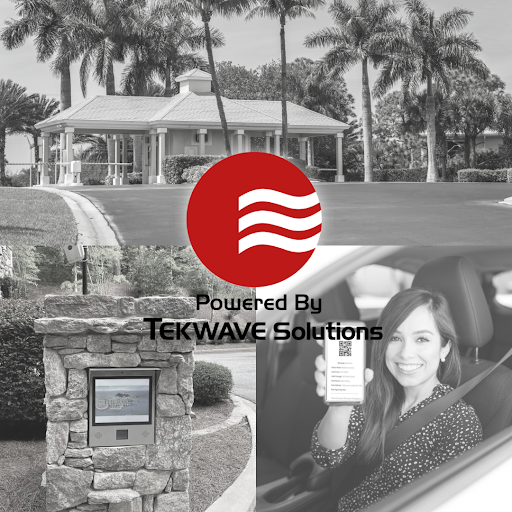
Managing access to a residential community sounds straightforward — until it isn’t. Unauthorized vehicles park in resident spaces. Tailgating at the gate becomes routine. A former resident’s keycard still works six months after they moved out. Guests show up with no way to reach their host. These aren’t edge cases. They’re everyday problems for HOA boards and property managers, and they add up quickly.
An HOA Access Control System is how communities get ahead of these issues — not just react to them.
An HOA Access Control System is a technology platform that manages who can enter your community, when, and through which access points. It replaces manual processes — staffed booths, physical keys, intercom guesswork — with automated, verifiable, and auditable access management.
The system typically combines physical infrastructure (automated gates, doors, barriers) with electronic verification methods such as license plate recognition, keycards, mobile credentials, or keypads. Every entry and exit is logged automatically, giving management a real-time and historical view of community access activity.
For HOA boards, it means less liability and better oversight. For property managers, it means fewer interruptions
Unauthorized access is harder to manage than most boards expect. Gates without enforcement are just suggestions. Without a system that verifies credentials, communities rely on residents to follow rules — and not everyone does.
Visitor management creates friction at the gate. When guests can’t get in easily, residents get frustrated. When guests can get in too easily, security breaks down. Finding that balance manually is nearly impossible at any real scale.
There’s no audit trail when something goes wrong. Without access logs, investigating a break-in, a vandalism incident, or a trespassing complaint means starting from scratch. Management is left relying on witness accounts instead of data.
Staff time gets consumed by access requests. Letting in delivery drivers, coordinating with contractors, handling guest calls — it adds up. Access control automates most of this, freeing staff to focus on higher-priority work.
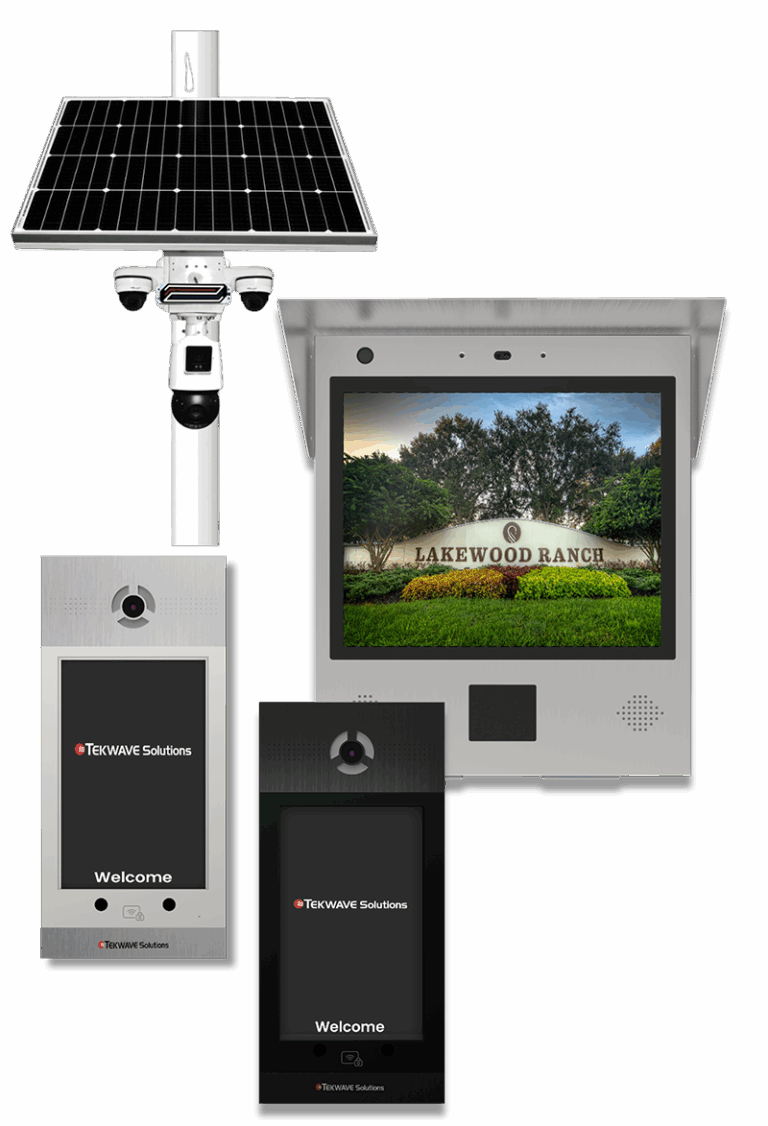
When a resident or authorized visitor approaches an entry point, the system verifies their credentials and grants or denies access in real time. Depending on the configuration, verification can happen through a keycard tap, a license plate scan, a mobile app, or a unique access code.
Everything is tracked. The system logs who entered, through which gate, and at what time. Management can pull that data at any point — for routine audits or incident investigations.
Access permissions are managed centrally. When a resident moves out, their credentials are deactivated immediately. When a new resident moves in, they’re enrolled before they ever get their keys. There’s no physical hardware to collect or redistribute.
Gate and Door Access Control Automated entry points that only open for verified credentials eliminate tailgating and unauthorized access at the source. Communities can configure different access levels for residents, staff, vendors, and guests — each with appropriate permissions and time restrictions.
Visitor Management Residents pre-register guests through a portal or mobile app. Visitors receive a temporary credential — a code, a QR scan, or a license plate authorization — that works for the duration of their visit and expires automatically. No phone calls to the management office. No waiting at the gate.
For communities that want to take visitor management a step further, a Self-Service Access Kiosk gives visitors a fully automated check-in experience at the gate — no staff involvement required.
Resident Database A centralized record of every resident, their associated vehicles, and their access privileges. When information changes, management updates it once and the system reflects it everywhere.
License Plate Recognition Registered vehicles are identified automatically on approach. The gate opens without the driver needing to interact with any device. This is particularly valuable for communities with high daily traffic or multiple entry points.
Security Monitoring Camera integration, motion detection, and alarm connectivity provide continuous surveillance of entry points and common areas. Live and recorded footage is accessible remotely, giving management visibility without requiring on-site presence.
Emergency Response Integration The system can connect with emergency notification platforms so residents and staff receive alerts when a situation requires immediate attention. Panic stations at key locations give anyone in the community a direct way to summon help.
Activity Logs Every access event is recorded and searchable. Management can quickly pull a report on any entry point, any credential, or any time window — which matters when responding to a complaint or supporting a law enforcement inquiry.
Remote Management Gates can be opened, access permissions adjusted, and live footage reviewed from anywhere through a secure web portal. For property managers overseeing multiple communities, this is a significant operational advantage.
System Integration A well-designed access control platform connects with existing infrastructure — intercoms, alarm systems, surveillance cameras, and property management software — so everything works as a unified system rather than a collection of disconnected tools.

Not every system is right for every community. Get clear on your operational requirements before evaluating vendors.
Size and layout. How many entry points does your community have? How many residents and vehicles need to be managed? A system designed for a 50-unit condo operates very differently from one built for a 500-home gated neighborhood.
Visitor volume. Communities with frequent guest traffic — short-term rentals, active social calendars, regular deliveries — need robust visitor management capabilities. Others may prioritize resident access above all else.
Growth trajectory. If the community is expanding, choose a system that scales. Adding entry points, increasing database capacity, and integrating new technology should be achievable without replacing the entire platform.
Integration requirements. Identify the systems already in place and confirm that any new access control platform is compatible with them before committing.
Support and reliability. A gate that won’t open at midnight is not a minor inconvenience — it’s a service failure. Understand exactly what support your vendor provides, what their response times look like, and what recourse you have when something goes wrong.
Implementation costs include hardware (gates, readers, cameras, infrastructure) and installation. Ongoing costs cover maintenance, software updates, and technical support.
The more useful way to evaluate cost is against what the problem is already costing you — in staff time, in security incidents, in resident complaints, and in the property value impact of a community that feels unsecured. For most communities, the operational savings and liability reduction make a well-implemented access control system a sound long-term investment.
A qualified provider begins with a thorough site assessment — evaluating your entry points, existing infrastructure, and operational requirements before a single piece of equipment is specified. From there, they design a system built around your community, handle procurement and installation, configure the software to match your access policies, and test everything end-to-end before go-live.
Staff training should be built into every implementation — not treated as an add-on. Your management team and security personnel should be fully proficient on the system before the provider considers the project complete.
Residential communities aren’t static, and neither are their security needs. New phases get added. Resident populations grow. Technology evolves. A system that meets your needs today should still be meeting them five years from now.
Look for solutions designed with scalability in mind — the ability to add entry points, expand mobile credentialing, integrate updated camera technology, or connect with new property management platforms.
The right system grows with your community rather than forcing you to start over when your needs change.
Routine maintenance — inspections, software updates, hardware checks — keeps the system performing reliably over time. Beyond that, there are a few operational practices that make a real difference:
Resident resistance to new procedures. Change creates friction. Clear communication about what’s changing, why it’s changing, and how to use the new system goes a long way toward smooth adoption.
Integration with existing systems. Compatibility issues are common when layering new technology onto older infrastructure. Work with a vendor who has experience in that environment and get integration testing included in the scope of work.
Privacy concerns. Residents may have questions about what data is collected and how it’s used. Being transparent about data practices upfront — and putting clear policies in writing — addresses most concerns before they become complaints.
Vendor reliability. The quality of the technology matters, but so does the quality of the company behind it. Ask for references from communities similar to yours and ask specifically about their experience with support and problem resolution.
A properly implemented HOA Access Control System reduces the operational burden on staff, gives management better visibility into community activity, improves the resident experience, and creates a stronger security posture for the community overall.
The communities that get the most out of these systems treat access control as an operational investment — not just a security expense. When the right system is in place and maintained well, it becomes one of the most reliable tools a property manager has.
If your community is evaluating access control options or you’re trying to determine what the right solution looks like for your specific situation, we’re here to help. Contact the TEKWave team to start the conversation.
